Epic Tip of the Month
- Category: Weekly Vitals
- Posted On:

View All Wound Images
There are multiple ways to view all documented images of a wound. See below.
How It Works
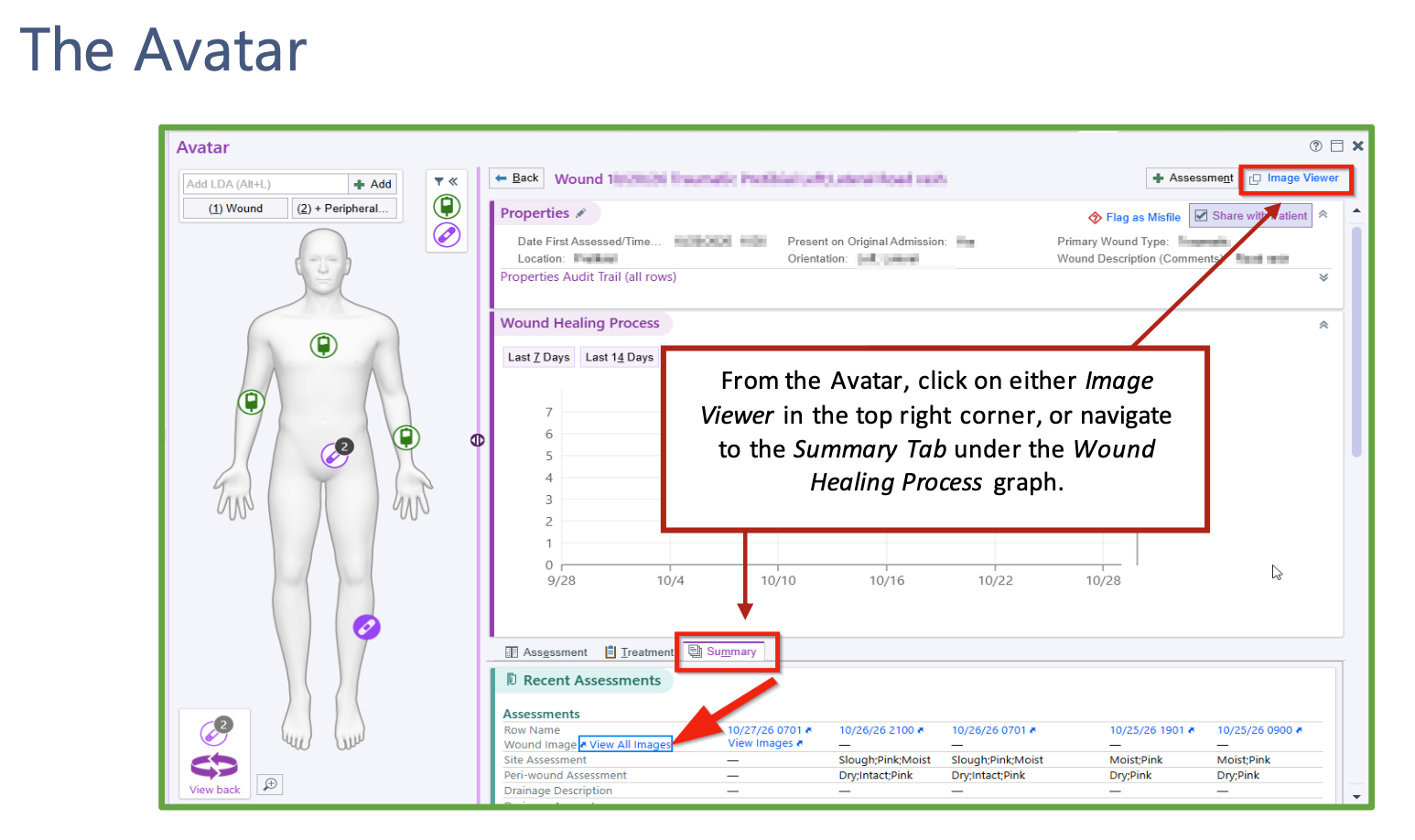
- From the Avatar, click on either Image Viewer in the top right corner, or navigate to the Summary Tab under the Wound Healing Process graph..
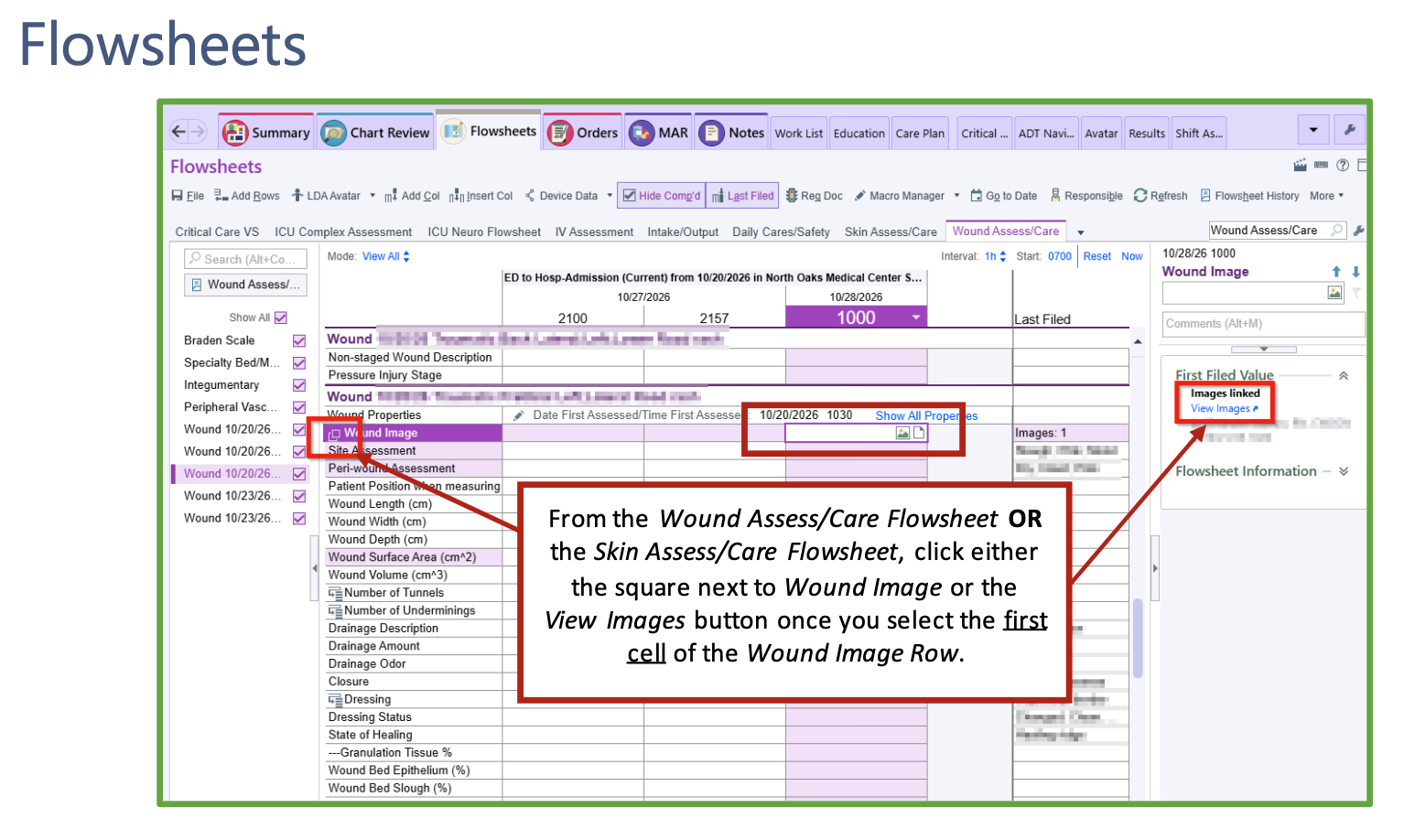
- From the Wound Assess/Care Flowsheet OR the Skin Assess/Care Flowsheet, click either the square next to Wound Image or the View Images button once you select the first cell of the Wound Image Row.